Across state and local government, AI tools are processing more sensitive information every day; citizen records, case files, agency-specific identifiers. Protecting that data starts with knowing exactly what to detect and what to leave alone. Custom Data Protection gives compliance and policy admins one place to manage every detection pattern Darwin uses: inspect the built-in ones, tune them to fit their agency, and create new patterns for the data that's unique to them.


.svg)
Across state and local government, AI tools are processing more sensitive information every day; citizen records, case files, internal communications, agency-specific identifiers. Protecting that data starts with one fundamental capability: knowing exactly what to detect, and what to leave alone.
For most compliance teams, that's harder than it sounds. Generic detection patterns flag too much, internal email domains, public phone numbers, routine reference IDs, drowning teams in false positives. At the same time, the data that matters most to a specific agency, permit IDs, case numbers, internal record formats, often goes unprotected because off-the-shelf tools don't know it exists.
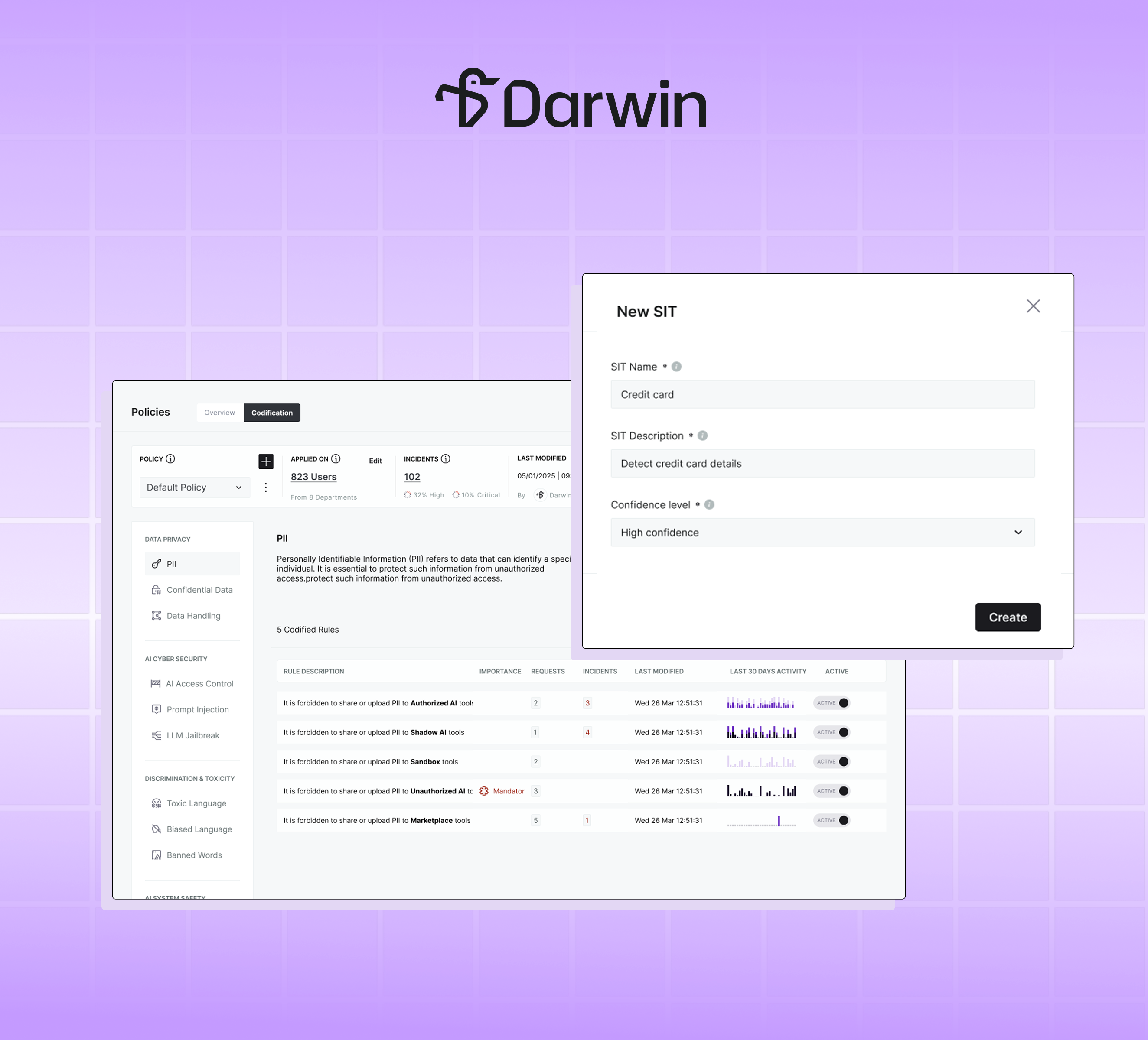
Custom Data Protection is where admins manage Sensitive Information Types (SITs)—the detection patterns Darwin uses to identify sensitive data. View the built-in ones, tune them to your agency, or create your own.
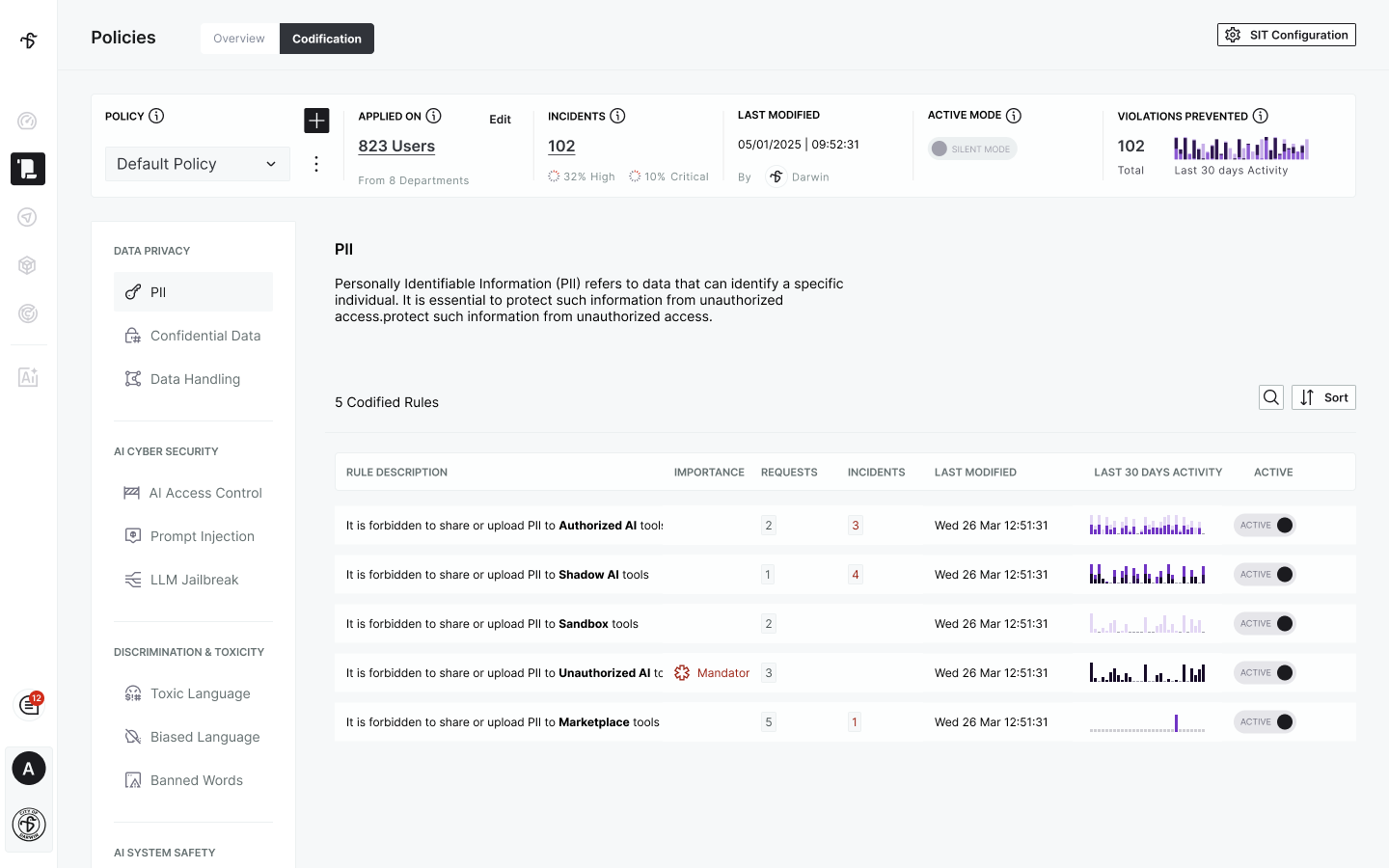
Custom Data Protection opens up Darwin's detection engine. Admins can see every built-in SIT, inspect the regex patterns that define it, review the supporting conditions like keyword proximity and allowlists, and understand the confidence thresholds that determine when a match counts as a violation.
When an alert fires, your team knows precisely which pattern matched and why. Detection becomes something you can audit, explain, and trust.
Every agency draws the line between sensitive and safe in a slightly different place. Custom Data Protection makes that line yours to draw. Adjust confidence levels, change severity, and apply allow lists to exclude known-safe values; internal email domains, specific phone prefixes, agency identifiers that shouldn't trigger alerts.
A city IT admin can exclude the HR department's phone extension range in seconds. A compliance officer can dial down severity on a pattern generating noise. The platform adapts to your policy, not the other way around.
Every government agency has identifiers that matter to them and no one else: permit IDs, case reference numbers, internal record formats, legacy system codes. Custom SITs let admins define detection patterns for any of these, using the same regex-plus-conditions structure as Darwin's built-in types.

Once defined, custom SITs are enforced exactly like built-in ones; across rules, codification, and policy. The same rigor that protects credit cards and SSNs now extends to the data your agency considers sensitive.
State and local government agencies are under increasing pressure to demonstrate that AI is being used responsibly and that the data inside those interactions is being protected. Custom Data Protection gives compliance teams the precision, transparency, and control to do exactly that.
For agencies running existing compliance tooling, SITs are designed to align with what's already in place. Customers using Microsoft Purview will soon be able to import their existing SIT configurations directly into Darwin, keeping enforcement consistent across both platforms.
Ready to take control of how Darwin detects sensitive data? Book a demo or reach out to your Darwin AI contact to get a walkthrough.