
Most AI governance happens too late, after a tool is already in use and the risk is already live. Darwin's AI Tool Explorer flips that, letting security and IT admins evaluate and classify AI tools before they ever reach the environment. Here's how it closes the gap between first use and real oversight.


.svg)
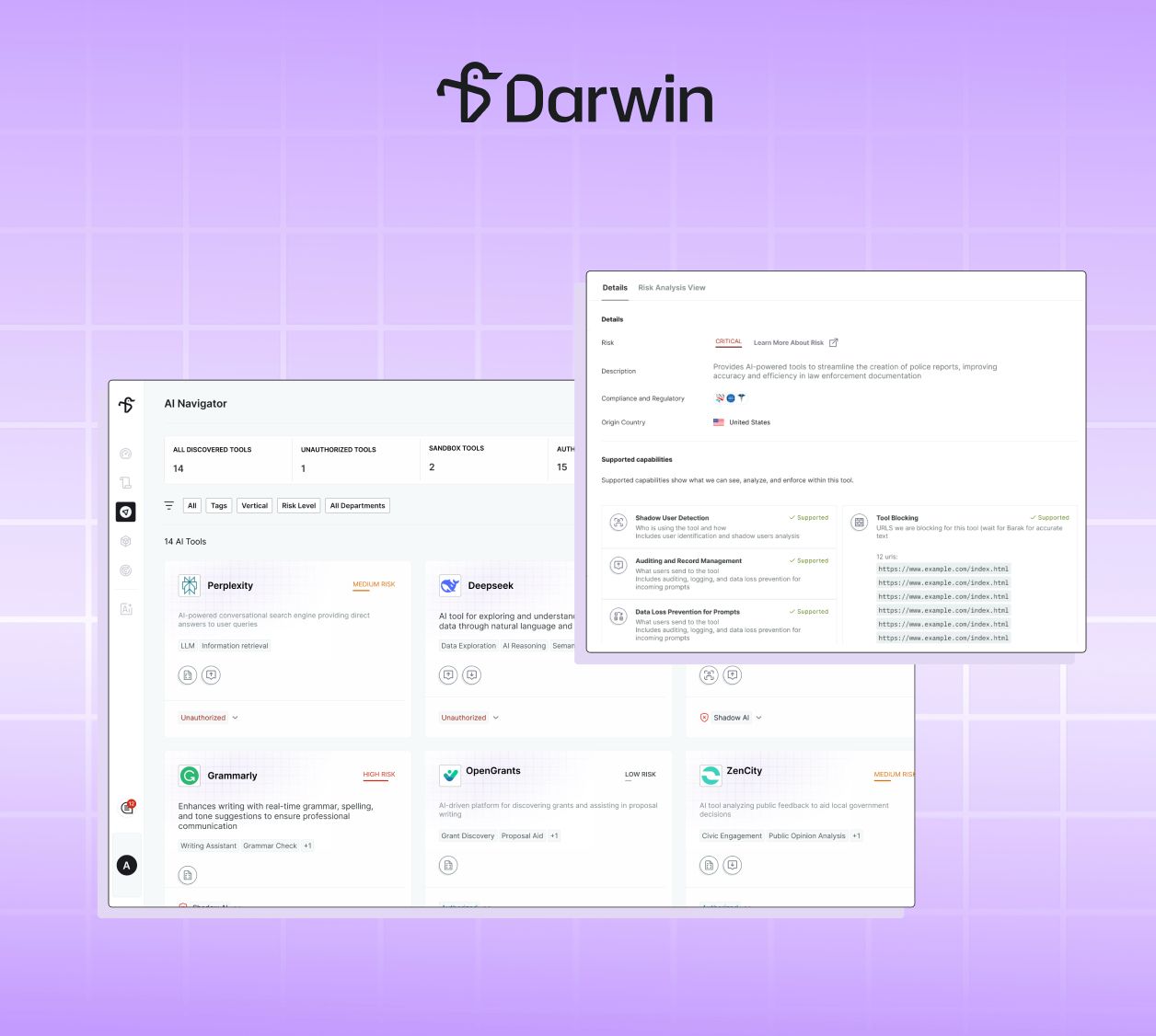
Across state and local government, employees are adopting new AI tools faster than security and IT teams can keep up. A department hears about a promising AI writing assistant, a team starts piloting a new tool to draft case reports, an agency-wide rollout gets scheduled and most of the time, the security team finds out only after the first employee has already logged in.
That's the problem with reactive governance: by the time a tool shows up in your environment, the decision has effectively been made for you. Classification, risk assessment, and access control all happen after the fact, in the window where exposure has already begun.
The reason is structural. Until now, a tool had to generate detectable network traffic before it could be governed at all. Admins had no way to get ahead of the tools they knew were coming, the tools their teams were requesting, or the tools they'd just read about in the news. Every decision was made retroactively, under pressure, with users already active.
AI Tool Explorer changes that. It lets security and IT admins evaluate and classify AI tools from Darwin's registry before those tools ever enter their environment, so governance is intentional, proactive, and in place from day one.
The most expensive moment in AI governance is the gap between a tool's first use and your team's response. AI Tool Explorer closes it.
A security admin who hears a business unit is about to roll out a new AI tool no longer waits for traffic to appear. They review the tool's risk profile, classify it as Authorized, and have policy enforced from the very first user session. The same holds in reverse: a high-risk tool likely to spread can be pre-classified as Unauthorized, so blocking rules are already in place the moment an employee tries to reach it.
The window of unmanaged exposure doesn't shrink. It disappears.
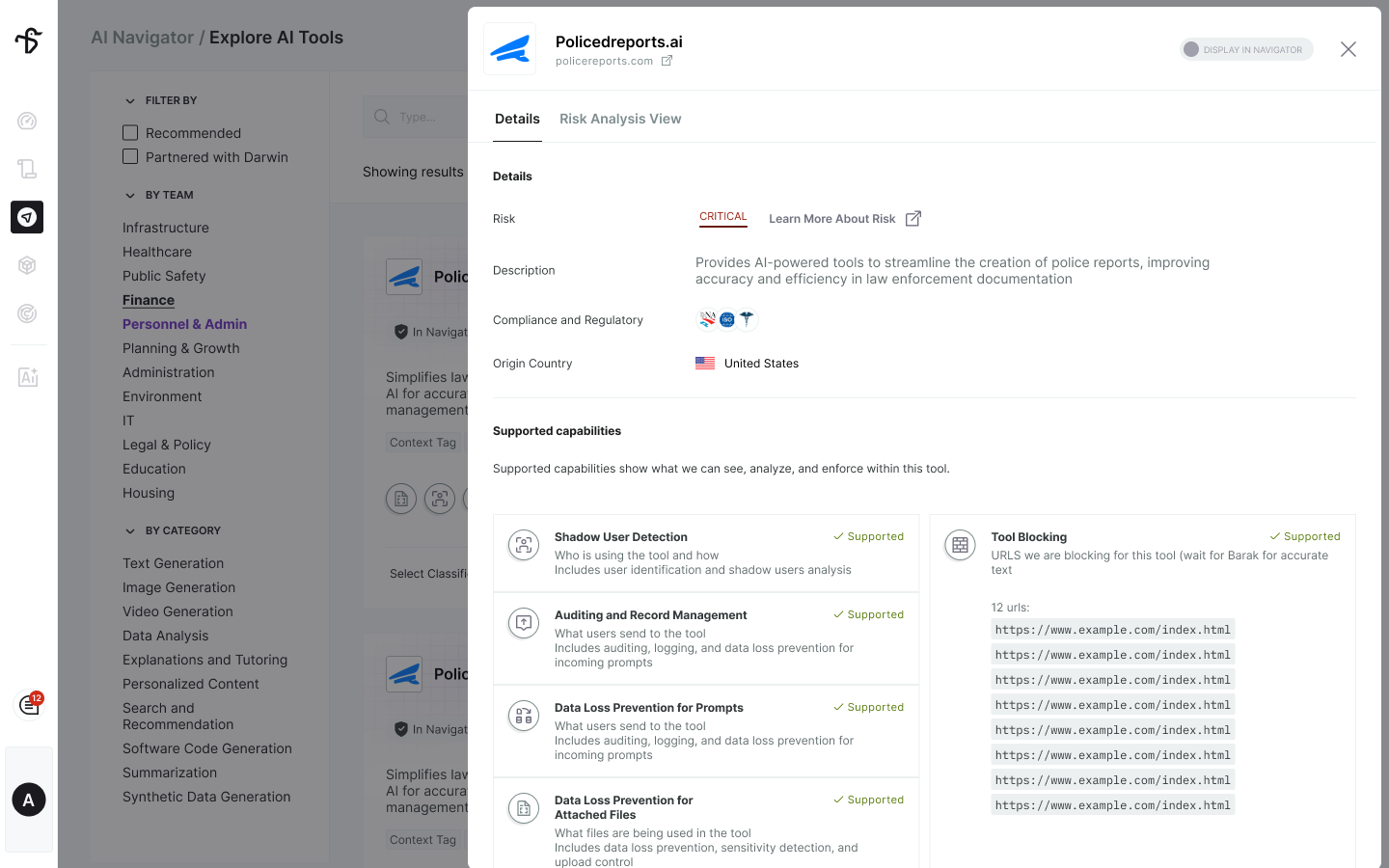
Every classification decision is only as good as the information behind it. Darwin's registry gives admins hundreds of AI tools to evaluate, each with risk scores across Privacy, Security, Transparency, and Governance, alongside capability support, compliance data, and category detail.
When a public-safety team is weighing a tool that drafts incident or case reports, an admin can review its risk rating, compliance posture, and exactly what Darwin can see and enforce and compare it against alternatives side by side, without any of them active in the environment. The evaluation happens on your terms, before exposure, with the full picture in front of you.
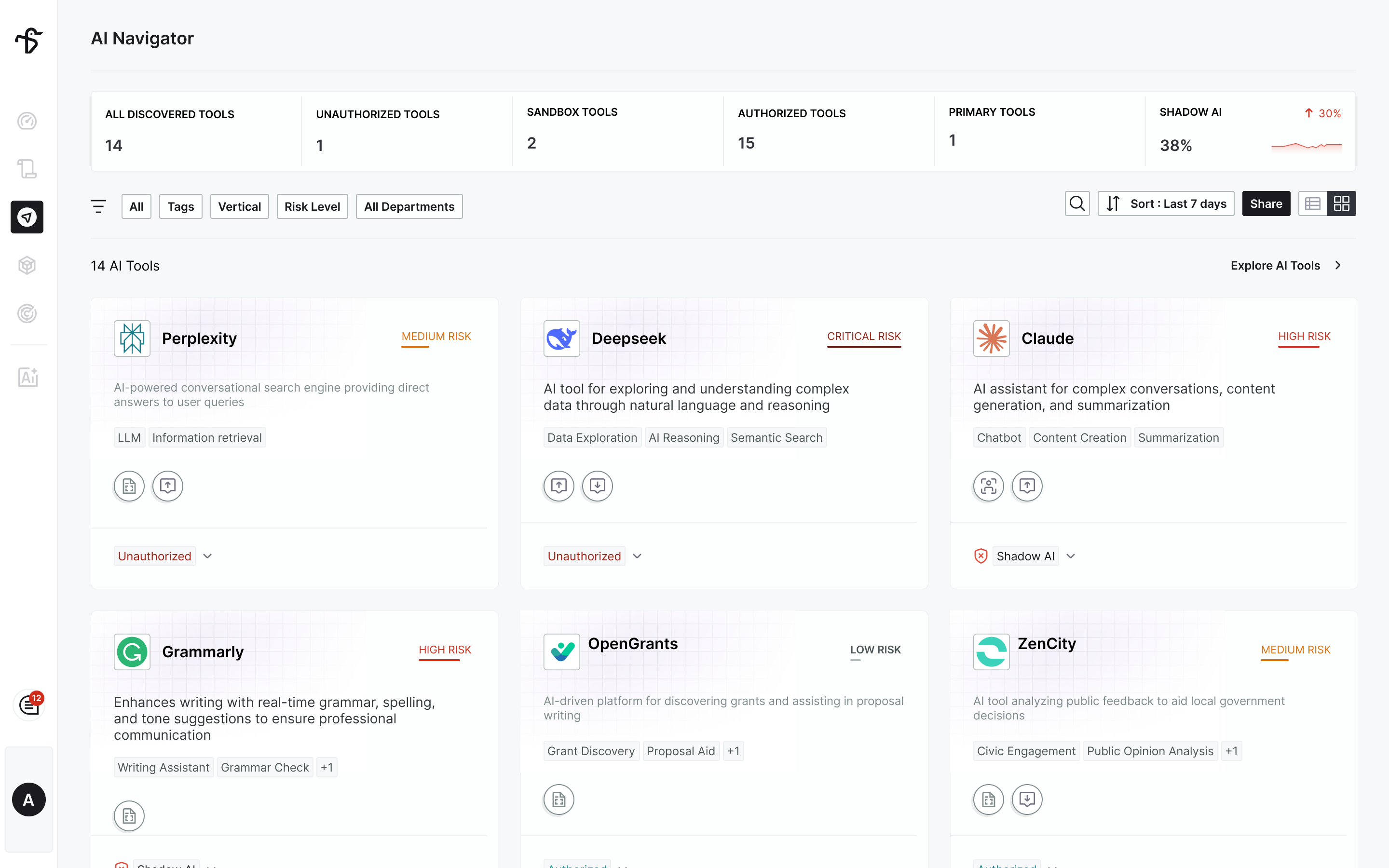
When governance is reactive, your Navigator reflects whatever happened to be detected. When it's proactive, it reflects intent.
Ahead of a compliance review, an admin can confirm that every known AI tool in their vertical is accounted for and classified, turning audit prep from a scramble into a checklist. Tools added through the Explorer are governed by the same rules as the ones Darwin detects on its own, so there's one consistent standard no matter how a tool entered the picture.
State and local government agencies are under increasing pressure to show that AI is being used responsibly. That means making intentional decisions about tools before they're in use, not reacting to whatever happens to get detected.
AI Tool Explorer moves teams from reacting to AI sprawl to actively governing it, with the visibility, transparency, and control to decide on their own terms.
Ready to govern AI tools before they reach your agency? Book a demo or reach out to your Darwin AI contact to get a walkthrough.

.png)
.png)