AI governance doesn’t happen in one place. The GRC team needs to see every new AI tool. The SOC needs to see the alerts. Leadership needs the reporting. And all of it has, until now, meant pulling data out of Darwin by hand and dropping it into whatever tool the work actually happens in.


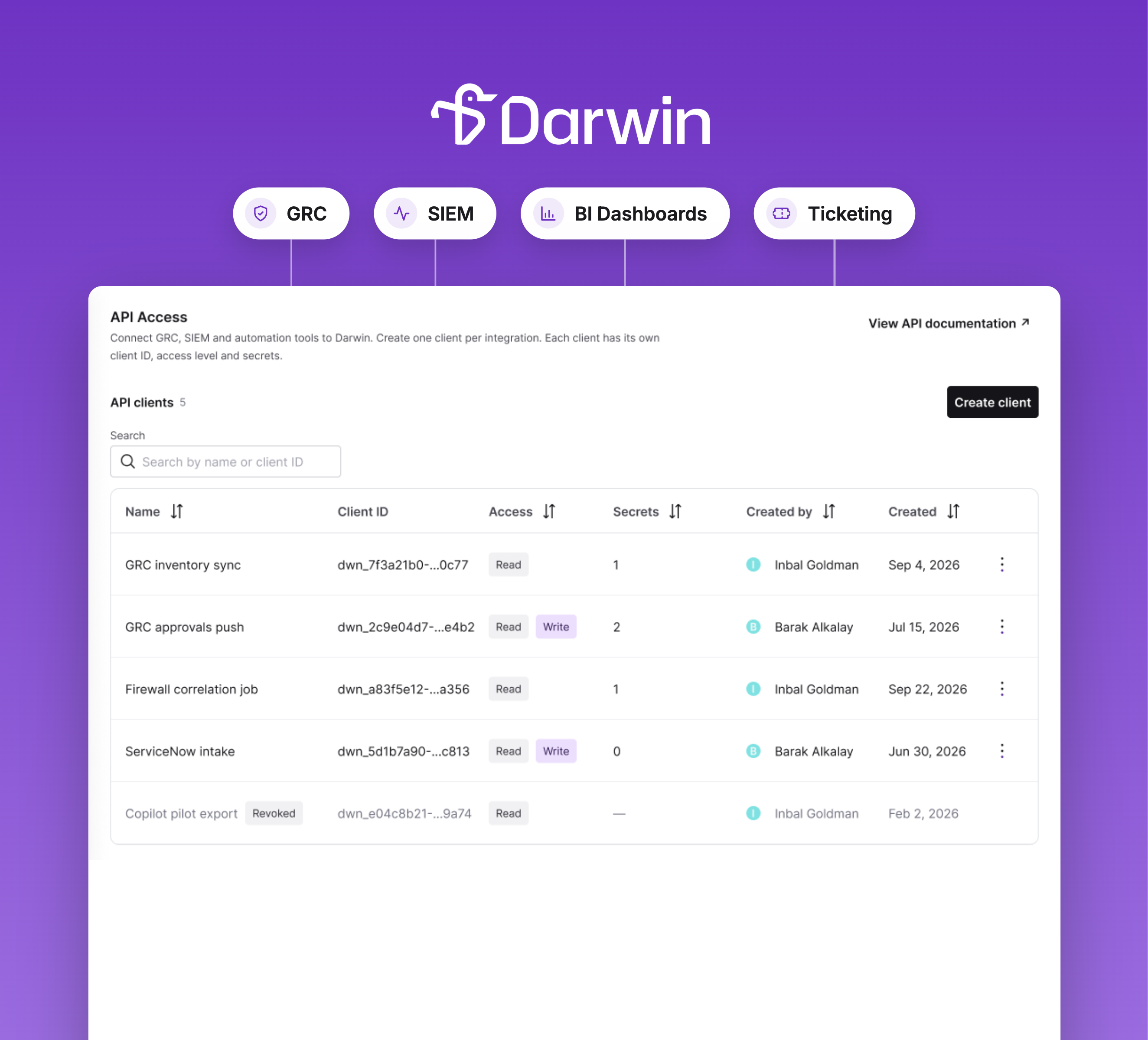
AI governance doesn’t happen in one place. The GRC team needs to see every new AI tool. The SOC needs to see the alerts. Leadership needs the reporting. And all of it has, until now, meant pulling data out of Darwin by hand and dropping it into whatever tool the work actually happens in.
That changes today.
Darwin API Access is now live in beta. It gives IT and security teams a standard way to connect Darwin to the tools they already run: the GRC platform, the SIEM, the BI dashboard, the ticketing system, the automation layer.
Admins create one API client per integration in Settings → API Access. Each client has its own credentials, its own access level, and its own audit trail. No more shared passwords. No more manual exports. No more copy-paste.
[Secondary image: Image 3 — the Create API client modal]
Caption: Each client is created with a clear scope. Read-only access for inventory and reporting. Write access for pushing approvals and policy updates back into Darwin.
API Access was built with the reality of government IT in mind. That means:
Darwin API Access opens up every workflow that used to require manual data movement:
Write access, pushing approvals and policy decisions from the GRC back into Darwin, is coming next, after the new codification release.
Darwin API Access is live in beta for all Darwin customers at no additional cost. Reach out to your Customer Solutions Manager to get access. Agencies not yet using Darwin can request a demo at darwingov.com.