
Policy enforcement doesn't happen in a boardroom; it happens in the pop-up an employee sees when they try to paste PII into ChatGPT or upload a Confidential file to an unapproved tool. That moment is where governance either becomes clear or becomes a help-desk ticket. Darwin's new Customizable End-User Messages lets admins rewrite every enforcement pop-up—Title, Subtitle, Body—in the agency's own voice and branding, with dynamic parameters for the tool name, user, and links to internal policies or request forms.


.svg)
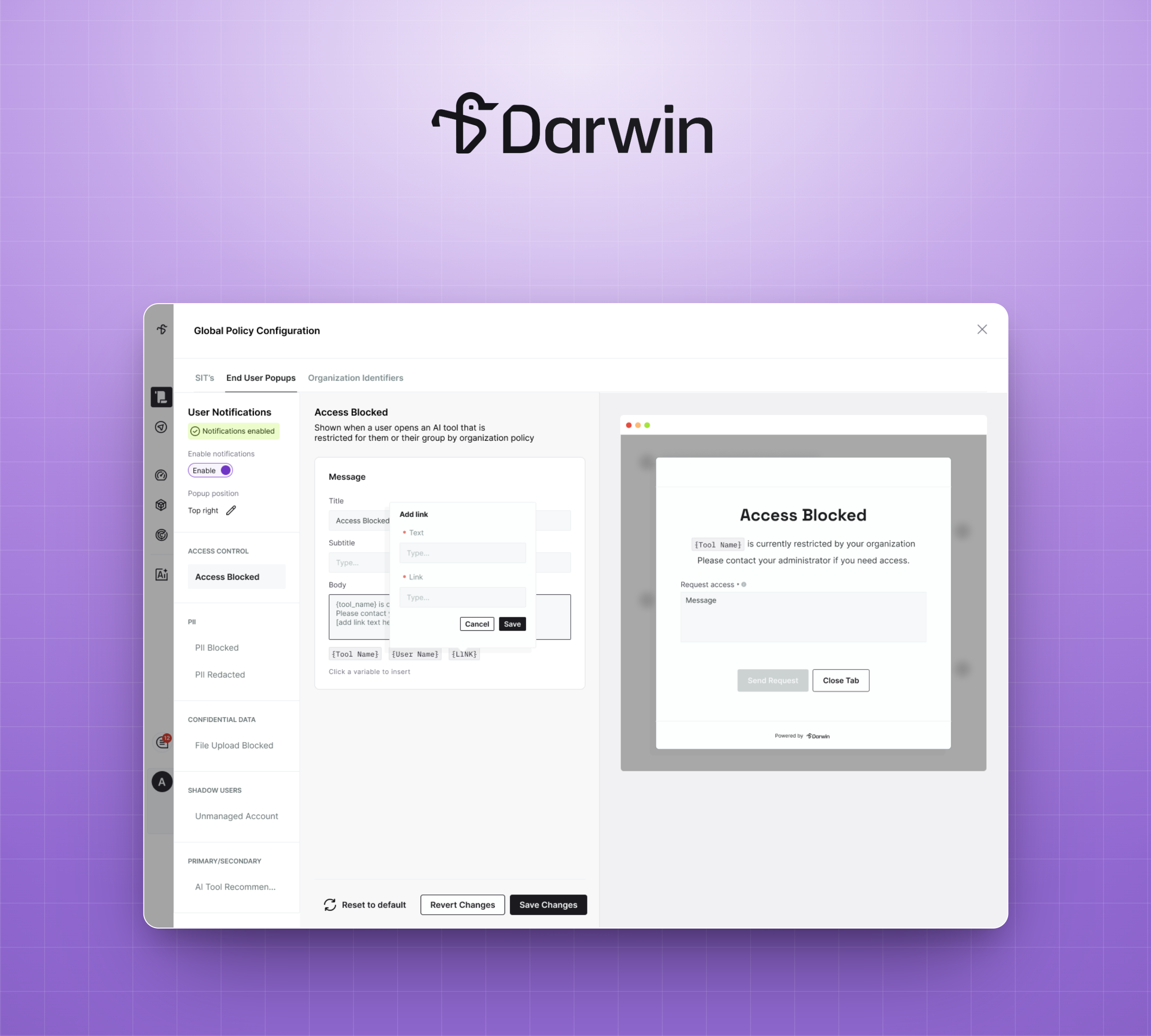
Policy enforcement doesn't happen in a boardroom. It happens in the exact second an employee tries to paste a citizen's PII into ChatGPT, or upload a Confidential document to a tool the agency hasn't approved, or open an AI system that isn't on the sanctioned list. That moment, the pop-up an employee actually sees, is where governance either becomes clear or becomes confusing.
Generic block messages create a predictable pattern. The employee sees an unfamiliar screen from a tool they don't recognize, doesn't understand why they were stopped, and files a help-desk ticket. Multiply that across an agency, and every enforcement action generates a downstream support cost with no learning, no policy reinforcement, and no path forward for the employee.
Darwin's Customizable End-User Messages changes that. Admins can now edit every pop-up an end user sees, matching the agency's own tone, branding, and internal resources, turning each policy block into a moment of clear communication instead of confusion.
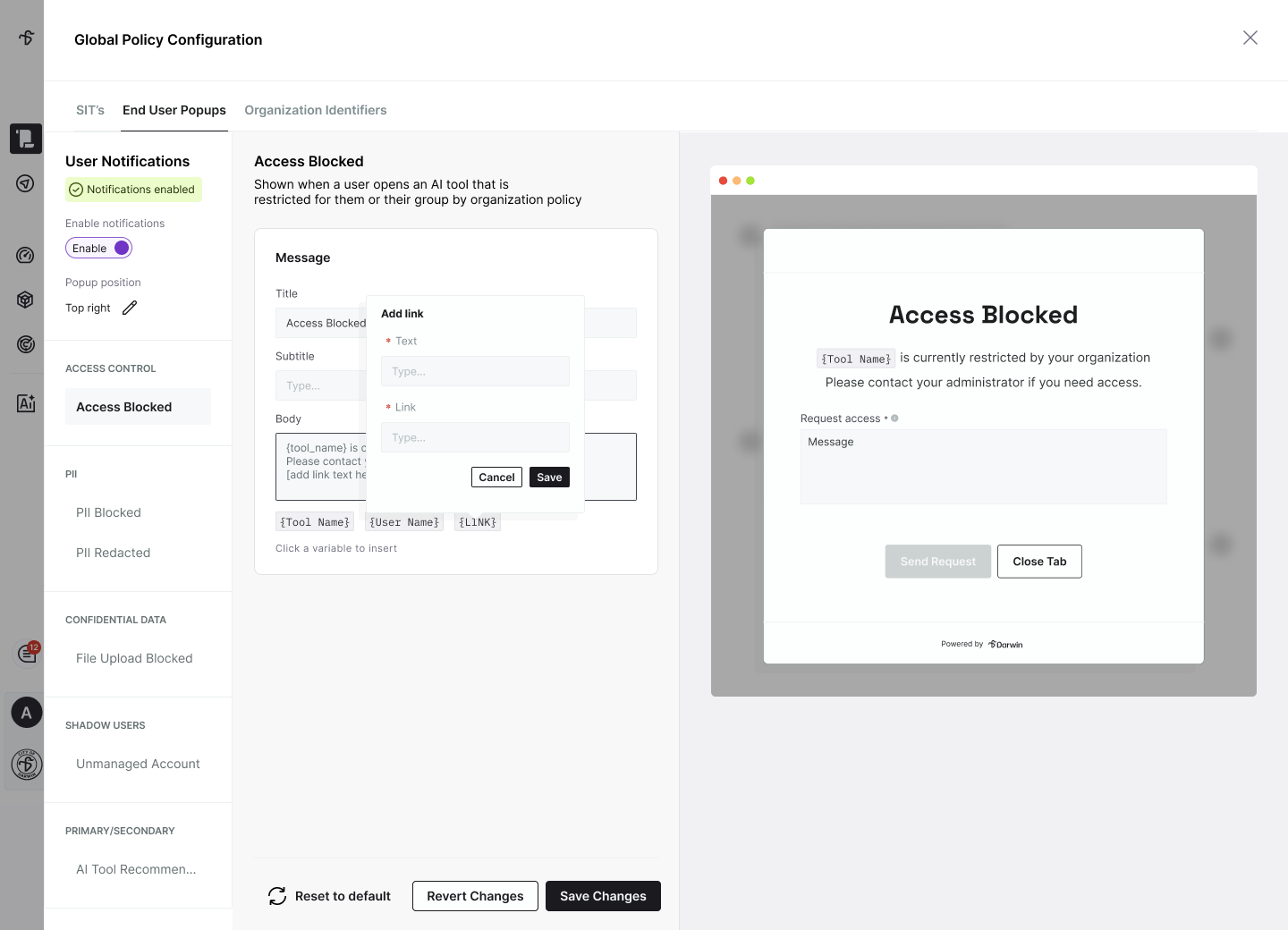
In Global Policy Configuration, admins get a dedicated editor for each type of enforcement message an end user might see: Access Blocked, PII Blocked, PII Redacted, File Upload Blocked, Unmanaged Account, and AI Tool Recommendation. Each editor covers three editable fields—Title, Subtitle, Location, and Body—with a live preview that updates as you type.
Every pop-up also displays the agency's own logo instead of Darwin's, so enforcement feels like guidance from the organization itself, not friction from an outside tool. The employee experience shifts from "this unfamiliar tool blocked me" to "my agency's policy stopped this for a reason."
Static text isn't enough when the same pop-up needs to name a specific tool, a specific user, or link to a specific resource. Customizable End-User Messages supports three dynamic parameters that admins can drop into any field:
The result: a pop-up that names the exact tool, addresses the employee directly, and points them to what they should do next, all rendered in real time as enforcement happens.
The most powerful use of customization isn't rewording the block itself. It's what comes after. A PII Blocked message can redirect employees to the agency's data handling policy. A File Upload Blocked message can link to the request-access process. An AI Tool Recommendation pop-up can steer employees from an unapproved tool to the sanctioned alternative — with a single click.
Every enforcement moment becomes an opportunity to reinforce policy, educate the workforce, and reduce the help-desk noise that generic block messages create. Employees don't just learn what they can't do; they learn what they should do instead.
State and local government agencies invest heavily in AI policies, training programs, and internal communication standards, only to watch generic enforcement messages undo that work in a single pop-up. Darwin's Customizable End-User Messages closes that gap, giving IT and policy teams the ability to make every enforcement moment feel native to the agency, in their own voice and pointing to their own resources.
Ready to see Customizable End-User Messages in action? Book a demo or reach out to your Darwin AI contact to get a walkthrough.

.png)
.png)